Stock Transfer Qornez Workspace
यह inventory workflow के लिए है, जहां stock, batch, serial, warehouse और reorder signals साफ रहते हैं।
Stock Transfer page उस customer type के लिए लिखा गया है जिसे stock-heavy retail, wholesale and operations teams कहा जा सकता है। Problem यह है कि stock mismatch, missing batch records and reorder confusion directly affect sales and customer trust. Qornez इस workflow को साफ structure, secure access, reports और support-ready process में बदलता है।
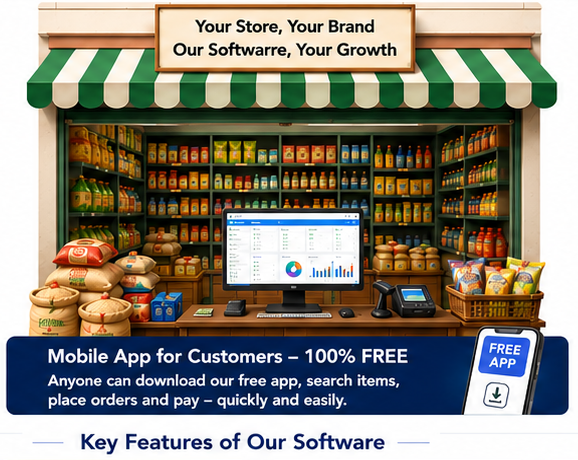
Stock Transfer से क्या मदद मिलेगी?
- Item, unit, barcode and category records
- Batch, expiry or serial support where needed
- Warehouse and transfer visibility
- Low-stock and stock-value review
- Purchase and sale linkages
- Owner dashboard
Stock Transfer के लिए मुख्य सुविधाएं
Item, unit, barcode and category
- Item, unit, barcode and category records
- Stock Transfer stays focused on the correct audience and avoids unrelated category claims.
- Designed to fit the Qornez header, footer, language toggle and edge-glass visual system.
Batch, expiry or serial support
- Batch, expiry or serial support where needed
- Stock Transfer stays focused on the correct audience and avoids unrelated category claims.
- Designed to fit the Qornez header, footer, language toggle and edge-glass visual system.
Warehouse and transfer visibility
- Warehouse and transfer visibility
- Stock Transfer stays focused on the correct audience and avoids unrelated category claims.
- Designed to fit the Qornez header, footer, language toggle and edge-glass visual system.
Low-stock and stock-value review
- Low-stock and stock-value review
- Stock Transfer stays focused on the correct audience and avoids unrelated category claims.
- Designed to fit the Qornez header, footer, language toggle and edge-glass visual system.
Purchase and sale linkages
- Purchase and sale linkages
- Stock Transfer stays focused on the correct audience and avoids unrelated category claims.
- Designed to fit the Qornez header, footer, language toggle and edge-glass visual system.
Owner dashboard
- Owner dashboard
- Stock Transfer stays focused on the correct audience and avoids unrelated category claims.
- Designed to fit the Qornez header, footer, language toggle and edge-glass visual system.
Configured for Stock Transfer
- Configured for Stock Transfer
- Stock Transfer stays focused on the correct audience and avoids unrelated category claims.
- Designed to fit the Qornez header, footer, language toggle and edge-glass visual system.
Clean operator-readable workflow
- Clean operator-readable workflow
- Stock Transfer stays focused on the correct audience and avoids unrelated category claims.
- Designed to fit the Qornez header, footer, language toggle and edge-glass visual system.
किसके लिए, क्या समस्या, कैसे मदद
Stock Transfer page only relevant content रखता है। यह page unrelated taxi, wedding, property, manufacturing या retail claims को mix नहीं करता जब तक वे approved ecosystem reference के रूप में clearly marked न हों।
This page can be used for pilot/customer discussion because it explains audience, workflow, facilities, support path and Qornez product fit.
Stock Transfer Qornez Workspace
Built for stock-heavy retail, wholesale and operations teams with page-specific positioning and no unrelated category clutter.
Stock Transfer page aligned to the Qornez master website design system. The core problem is that stock mismatch, missing batch records and reorder confusion directly affect sales and customer trust. Qornez helps by keeping the workflow structured, secure, report-ready and aligned with the right product: QN Book, QN One, QN Partner or Qornez Desktop.
What this page helps with
- Item, unit, barcode and category records
- Batch, expiry or serial support where needed
- Warehouse and transfer visibility
- Low-stock and stock-value review
- Purchase and sale linkages
- Owner dashboard
Facilities for Stock Transfer
Item, unit, barcode and category
- Item, unit, barcode and category records
- Stock Transfer stays focused on the correct audience and avoids unrelated category claims.
- Designed to fit the Qornez header, footer, language toggle and edge-glass visual system.
Batch, expiry or serial support
- Batch, expiry or serial support where needed
- Stock Transfer stays focused on the correct audience and avoids unrelated category claims.
- Designed to fit the Qornez header, footer, language toggle and edge-glass visual system.
Warehouse and transfer visibility
- Warehouse and transfer visibility
- Stock Transfer stays focused on the correct audience and avoids unrelated category claims.
- Designed to fit the Qornez header, footer, language toggle and edge-glass visual system.
Low-stock and stock-value review
- Low-stock and stock-value review
- Stock Transfer stays focused on the correct audience and avoids unrelated category claims.
- Designed to fit the Qornez header, footer, language toggle and edge-glass visual system.
Purchase and sale linkages
- Purchase and sale linkages
- Stock Transfer stays focused on the correct audience and avoids unrelated category claims.
- Designed to fit the Qornez header, footer, language toggle and edge-glass visual system.
Owner dashboard
- Owner dashboard
- Stock Transfer stays focused on the correct audience and avoids unrelated category claims.
- Designed to fit the Qornez header, footer, language toggle and edge-glass visual system.
Configured for Stock Transfer
- Configured for Stock Transfer
- Stock Transfer stays focused on the correct audience and avoids unrelated category claims.
- Designed to fit the Qornez header, footer, language toggle and edge-glass visual system.
Clean operator-readable workflow
- Clean operator-readable workflow
- Stock Transfer stays focused on the correct audience and avoids unrelated category claims.
- Designed to fit the Qornez header, footer, language toggle and edge-glass visual system.
Who this is for and why it matters
Stock Transfer is written for stock-heavy retail, wholesale and operations teams. It explains the customer type, the operational problem, the facilities available, the Qornez product fit and the correct next step without mixing unrelated page content.
This is a focused website page for pilot and sales conversations. It preserves the master General Store design language, edge-glass cards, slider hook, buttons, spacing and typography direction.